
Guide 03
NFC tap cards for local shops
Guide 3: a pipeline where the outreach and the product are the same physical object
4 min read8 steps8 promptsfreeThe offer
An NFC tap card sits at the counter, a customer taps it with their phone, and their Google review page for that business opens instantly, ready for the star rating. There's no link to type and nothing to look up later, and while the same card can also open a menu, a booking page, or the business's website, reviews are the version owners understand fastest.
This is the simplest offer there is because it's a physical product. The owner doesn't have to imagine anything or trust a pitch, they just tap it and watch it work. Every step below comes with the exact prompt to paste in.
Step 1: Set up the agent
The install and the two agent options are on the agent setup pageUse a strong model, because this pipeline involves judgment calls and a weak model makes expensive mistakes with real mail.
After that, give it the keys for the job. In chat, tell the agent which accounts it's working with and paste the credentials when it asks: a Google Places API key from Google Cloud Console with the places API enabled and a budget cap on it, an account with your NFC card supplier, and a domain for the redirect links so every card points at a link you control. On Grok bot you can also log into a website once in the bot's browser and it stays logged in.
Step 2: Filter for counters
The agent pulls your city's businesses through the places API and filters by business type, because this product needs foot traffic and a physical counter, so it looks for restaurants, cafes, salons, barbers, gyms, dentists, and retail stores. Keep the rating filter at 4.0 and above because the card only helps businesses whose customers walk out happy, and review count matters less here since any storefront with customers walking in every day is a fit.
use my google places api key to pull every [cafes / salons / barbers / restaurants / gyms] in [city]. save name, address, phone, rating, review count, opening hours, and place id. filter to rating 4.0 or higher, a physical storefront (not service-area only), and a phone listed. skip chains and franchises. put it in a google sheet called "[city] tap cards" and show me the count and the first 20.Step 3: Build each card's link
The agent has every business's place id from the scrape, and Google gives you a direct review URL from it (search.Google.Com/local/writereview?Placeid=...). Don't write that URL onto the card directly though. Write a short redirect link you control that forwards to it, which gets you a tap counter per business and the ability to repoint the card later without touching it.
The tap counter becomes your retention tool, because you can tell the owner "your card was tapped 41 times this month" with real data. Test every link on your own phone before anything gets ordered.
for every business on the "[city] tap cards" sheet, create a redirect link on my domain in the format go.[mydomain].com/[business-slug] that forwards to their google review url built from their place id (search.google.com/local/writereview?placeid=...). log every visit to each link with the date and time. add the links to the sheet, open 5 of them yourself to check they land on the right review page, and tell me which ones you checked.Step 4: Order the cards
You don't print or program anything yourself. White label NFC suppliers like thecard's API card service or growseo's white label program will print cards with your branding, program each one with the link you give them, and drop ship straight to any address. The other route is bulk blank NTAG213 cards, which cost very little per card and can be written with any phone and paired with a mail API to send them out. Either way, the agent submits the order with the business's link and the business's address, and a finished programmed card shows up at their door.
Put the business's name on the front of the card along with "tap for a Google review" and a small Google icon, so the owner sees their own name the second they open the envelope.
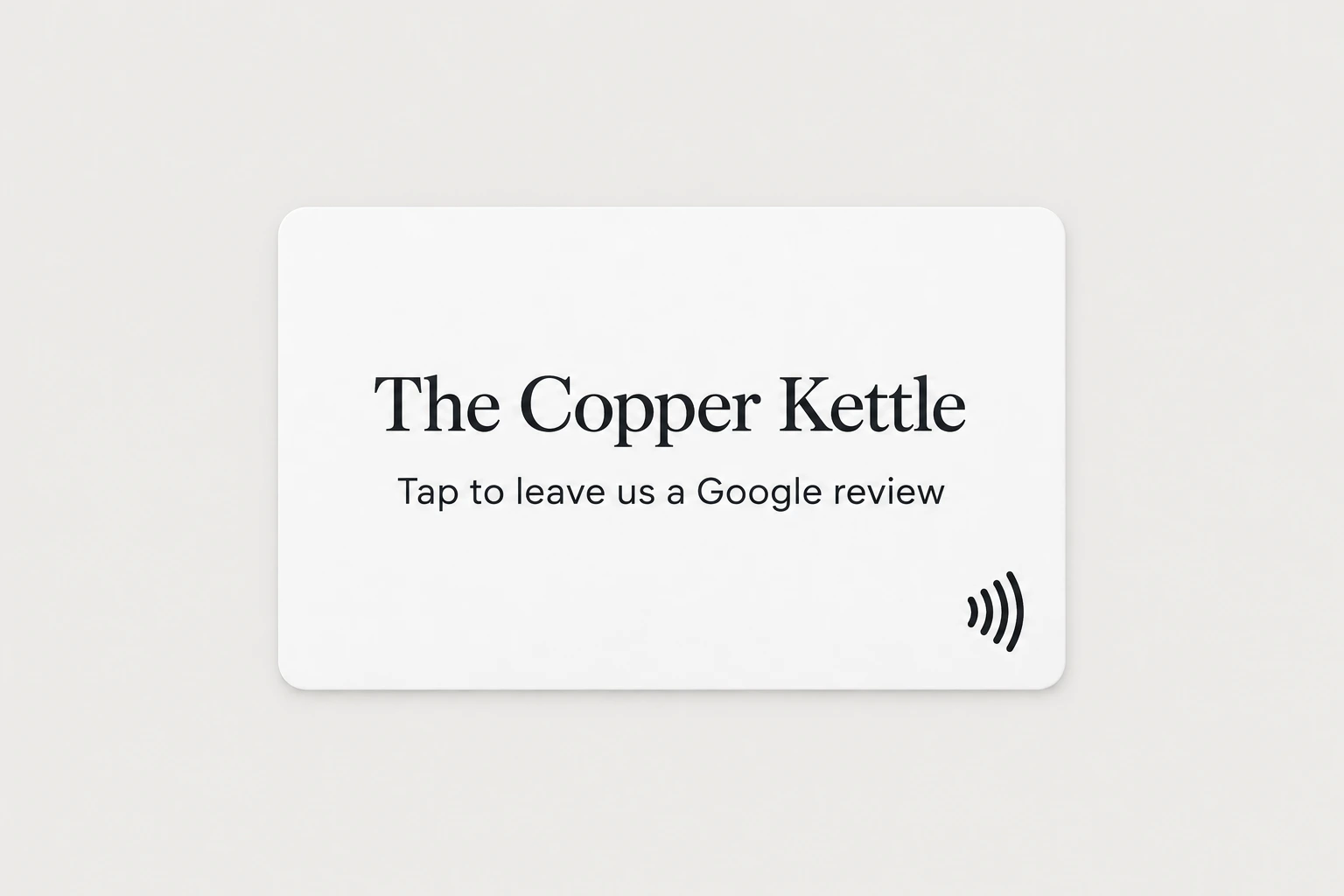
prepare an order with my nfc supplier [supplier name] for every approved business: one card each, printed with "[business name]" and "tap to leave us a google review" on the front, programmed with that business's redirect link, shipped to the business's address. show me the full order list and the total cost, and wait for my approval before placing it.Step 5: The note in the envelope
This is the simplest outreach possible because you don't send a postcard about the product, you send the product. The owner opens an envelope, finds a card with their business name on it and a note that says "tap this with your phone", taps it, and their own review page opens. The demo just happened in their hands on their own phone with zero effort from you.
The note is short: what the card is, that it's theirs to keep, and your number if they want more. Keep it to a few lines so the card is the thing they notice.
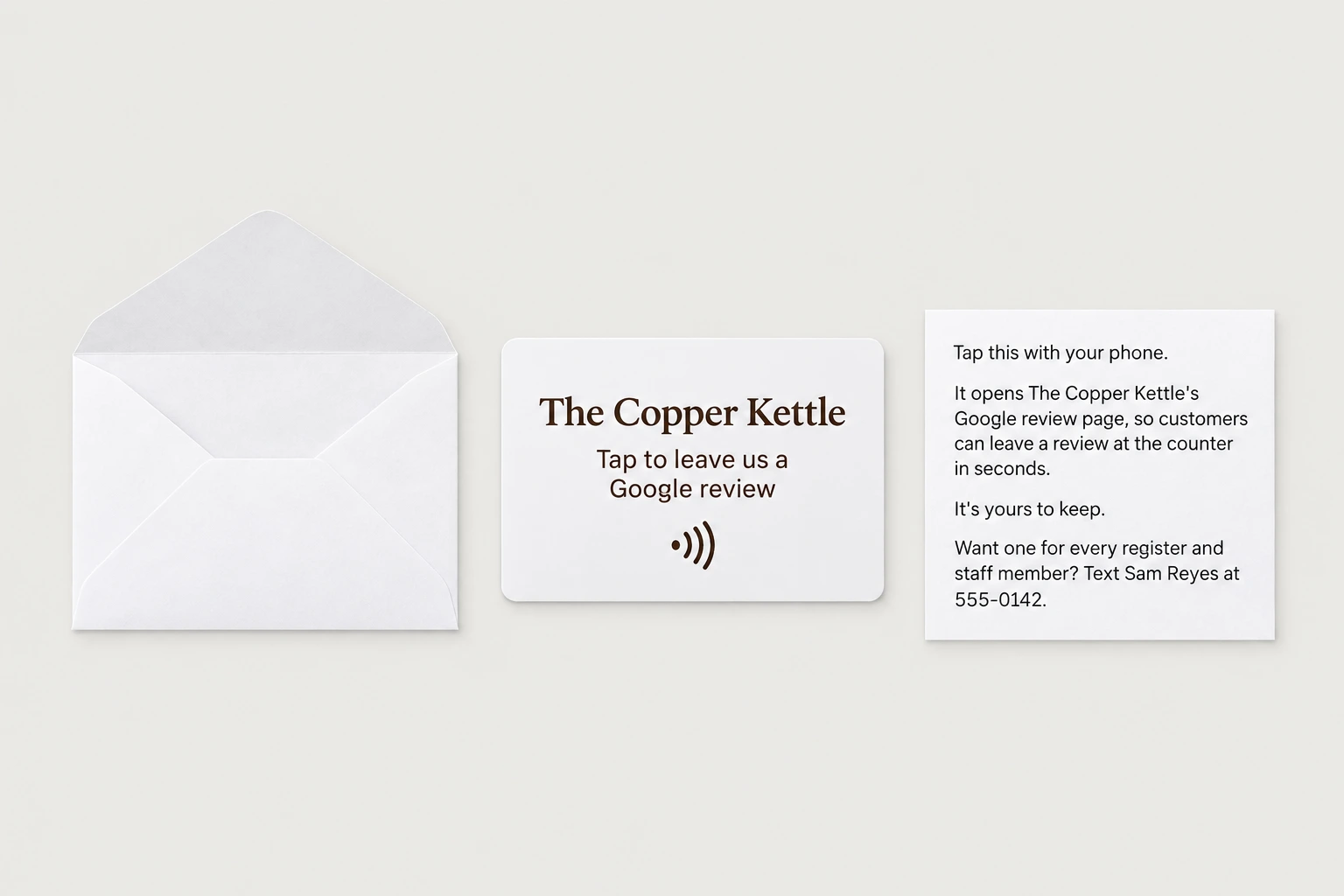
write the note that goes in each envelope with the card, in plain friendly words, 4 lines max: "tap this with your phone.", then that it opens [business name]'s google review page so customers can leave a review at the counter in seconds, that it's theirs to keep, and "want one for every register and staff member? text [your name] at [your number]." show me the note before it goes to the supplier.Step 6: Track the taps
Once the cards land, every tap shows up in your redirect logs, so the agent builds you a simple page listing every business and its tap count. The businesses whose card is actually getting tapped are the ones that put it on the counter, and those are the owners to call first.
build me a simple private dashboard page that lists every business we sent a card to, the date it was delivered, total taps, taps this week, and their google review count then and now. update it every day. every monday, message me the 10 businesses with the most taps.Step 7: Follow up
When a card has been tapped a few times, the owner has already seen it working, so the call is easy. You ask how the card's going and tell them how many taps it's had, which they won't know unless you tell them. The agent can also send one text to owners whose card is getting used.
when a business's card gets tapped more than [n] times in a week, draft a text from me: "hi, it's [your name], the one who sent the review card. it's been tapped [x] times since it arrived. want a stand for the counter and cards for your staff?" show me each draft before it goes out, and only send one per business.Step 8: What they buy from there
The first card is the free sample, and what you sell is the full setup: a counter stand for the register, a card for each staff member to carry since field techs and stylists collect the most reviews at the moment of payment, and replacements when they wear out. Every card on the order points at a redirect link you control, so you can report taps for the whole business each month.
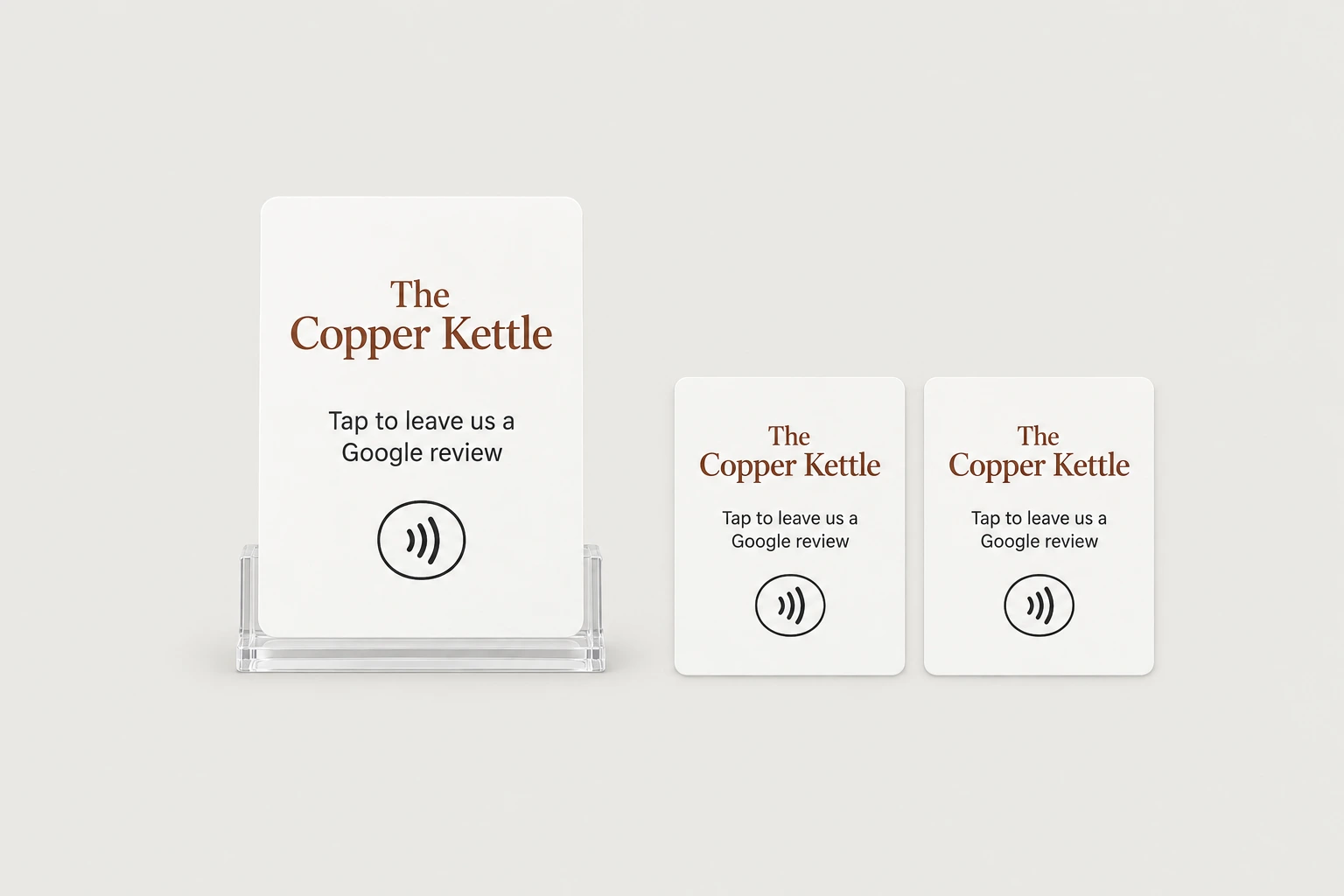
It also stacks naturally with review automation by SMS from guide 2, because the card collects reviews from customers standing in the store while the automation collects from everyone who already left, and selling both to the same owner is natural since they solve the same problem from two sides.
[business name] wants the full setup: [1 counter stand and x staff cards]. create a separate redirect link for each staff card (go.[mydomain].com/[business-slug]-[staff name]) all pointing to their review page, place the order with my supplier shipped to [address], and show me the cost before ordering. then send the owner a short monthly text with total taps per card and their new review count.The full prompt
Once every step above works on its own, this is the whole pipeline in one message. Paste it in, fill in the brackets, and the agent saves it as one skill you can rerun on a new city with a single line.
you are my nfc tap card sales agent. run this pipeline and check in with me at the marked points.niche: [storefront niche like cafes, salons, barbers, restaurants, gyms] city: [your city]1. use my google places api key to pull every [niche] in [city]. save name, address, phone, rating, review count, and place id.2. filter to: rating 4.0 or higher, physical storefront, phone number listed. show me the list and wait for my approval.3. for each approved business, create a redirect link on my domain (go.[mydomain].com/[business-slug]) that forwards to their google review url built from their place id (search.google.com/local/writereview?placeid=...). count taps per link.4. prepare an order with my nfc supplier: one card per business, printed with their name, programmed with that business's redirect link, shipped to the business's address, with a printed note that says "tap this with your phone. [your name], [your number]".5. show me the full order list and total cost before ordering. wait for my approval.6. build me a simple dashboard page listing each business and its tap count so i can see who's actually using their card.7. when a business's card gets tapped more than [n] times in a week, draft a follow up text for my approval about the full package.rules: no orders, mail, or texts without my approval. save this workflow as a skill.