
Guide 06
AI product reels for stores
Guide 6: make the content first and let the store watch itself go viral
4 min read9 steps10 promptsfreeThe offer
Stores run on content now, and a clothing store with dead social media and stale ads is invisible. The owner knows it too, they just don't have a videographer, a model, or time. The offer is content, meaning reels and ad creative made from their own products, and you don't describe the offer, you make the content first and put it in front of them finished. Every step below comes with the exact prompt to paste in.
Step 1: Set up the agent
The install and the two agent options are on the agent setup pageUse a strong model, because this pipeline involves judgment calls and a weak model makes expensive mistakes with real mail.
After that, give it the keys for the job. In chat, tell the agent which accounts it's working with and paste the credentials when it asks: a Google Places API key from Google Cloud Console with the places API enabled and a budget cap on it, an OpenAI API key for the product stills, access to a video model like Veo, Seedance, or Kling through Replicate or Fal, and a postcard API account with Lob, PostGrid, or stannp. On Grok bot you can also log into a website once in the bot's browser and it stays logged in.
Step 2: Build the store list
The agent uses the places API to build the store list from clothing stores, boutiques, furniture stores, jewelers, home decor, and any other business whose products photograph well. You want independent stores with a website or an Instagram, because that's where the product photos come from.
use my google places api key to pull every [clothing store / boutique / furniture store / jeweler / home decor store] in [city]. save name, address, phone, website, instagram if listed, rating, and their listing photos. skip chains and mall franchises. put it in a google sheet called "[city] stores".Step 3: Check the ad library
Then the agent adds a second source, the Facebook ad library, which is public and searchable by business name, so it can check every store on your list and see who is currently running ads and what those ads look like. This splits your list into two groups, and each one gets a different deliverable. Stores running ads already spend money on marketing, which makes them the easiest buyers, so you'll remake one of their ads better. Stores running nothing but with good products get the reel.
for every store on "[city] stores", search the facebook ad library (facebook.com/ads/library) by the store's name and location. add a column "running ads" with yes or no. for the ones running ads, save a screenshot of their newest ad, the ad text, and how long it's been running. split the sheet into two tabs, "ad runners" and "no ads", and show me both so i can pick which stores to make content for.Step 4: Scrape their products
For the reel, the agent needs product shots, which it pulls from the store's website if they have one, their Instagram, or the photos on their Google listing. For a clothing store that's the racks and the individual pieces, and you don't need many because five or six good product images are enough for one reel. Pick pieces that look good in motion, like dresses and jackets, over flat items.
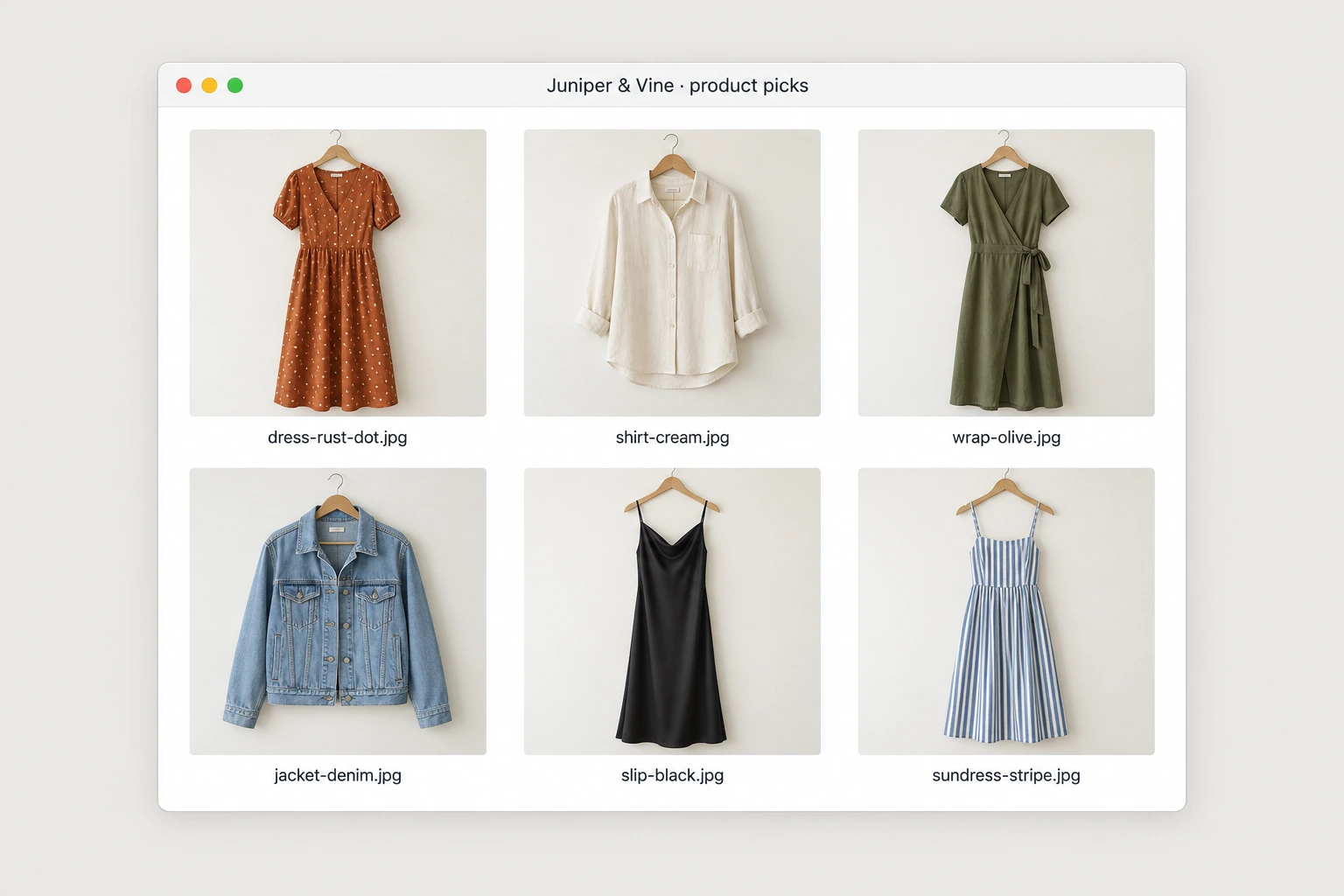
for each store i picked, collect 5 or 6 of their best product images from their website first, then their instagram, then their google listing photos. pick clear shots of single products on a plain background where possible, and pieces that would look good in motion. save them in a folder per store and show me the picks for the first 3 stores.Step 5: Make the model stills
This is the part that was impossible two years ago, generating a model wearing their actual clothes. Use ChatGPT's image model to put the store's pieces on a generated person, the same person across all shots and styled like the store's customer. For furniture and decor it's the same idea with a styled room instead of a model. This is the kind of image prompt that works:
a realistic full-length photo of a woman in her late 20s walking on a sunny city sidewalk, wearing [the exact dress from the attached product photo], same color, pattern, and cut. natural light, shot like a street style photo on a good camera, the dress clearly the focus.for each picked store, generate 5 stills with the chatgpt image model: the same model in every still, wearing or using each product from their folder exactly as it looks in the product photo. style the model to match the store's customer: [describe, e.g. young and casual / older and classic]. keep the person, lighting, and setting consistent across all 5. show me the stills before animating.Step 6: Animate and cut the reel
Then the agent animates the stills with a video model like Veo, Seedance, or Kling so the model walks and turns and the fabric moves. It cuts the clips together with the store's name and location on screen plus music, and you have a reel that looks like the store hired a model and a videographer for a day.
Build it as a template with the same shot sequence, the same cut timing, and the same text positions for every store, so only the products and the generated model change. The agent runs the whole chain per store, scraping products, generating stills, animating, and assembling.
animate each approved still into a 3 second clip with [veo / seedance / kling]: the model walks toward the camera and turns, fabric moving naturally. then cut a vertical 9:16 reel of 15 to 20 seconds: open on the best clip, then one clip per product, the store's name in the first 2 seconds, and "[store name], [neighborhood]" at the end. add upbeat royalty-free music. save this as my "store reel template" so every reel uses the same timing and text positions. show me the first reel.Step 7: For the ad runners: remake their ad
For the stores already running ads, the agent saved their current creative from the ad library, so make one clearly better version with a stronger hook in the first second, their real product in motion instead of a static photo, and cleaner text, then put the two side by side. An owner looking at their own tired ad next to a sharper one doesn't need convincing about the concept, only about who made it.
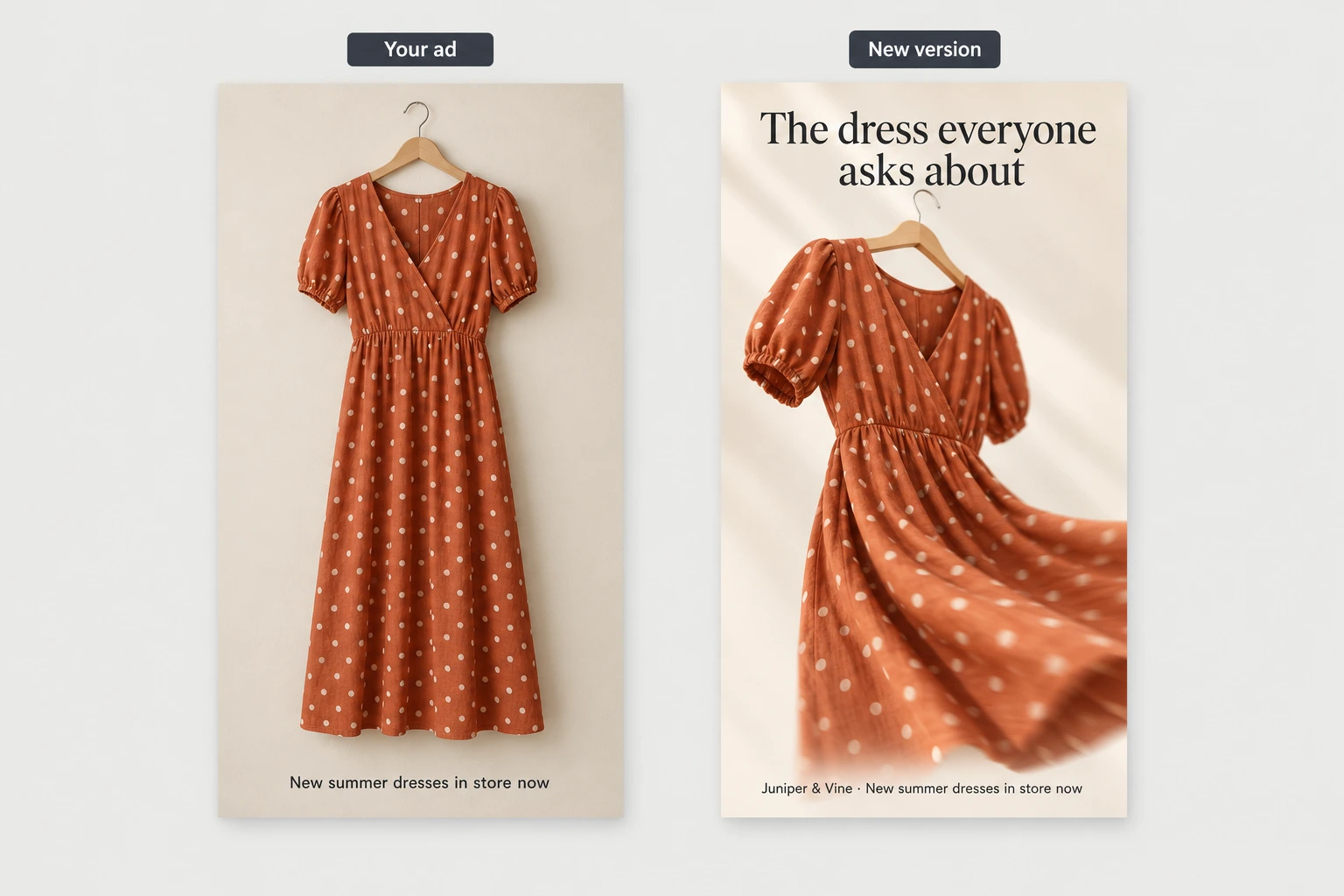
for each store in "ad runners" that i picked, look at the ad we saved. make a stronger version: a 9:16 video ad using their real products animated from their photos, with a hook in the first second, the product moving, and short clean text with the same offer as their ad. then make one image with their current ad on the left labeled "your ad" and the new one on the right labeled "new version". show me each pair.Step 8: Delivery
Mail a postcard through a postcard API like Lob, PostGrid, or Stannp that says "we made [store name] a reel. Scan to watch it." The QR goes to a page that autoplays the video with their name in the title so it's clearly theirs. For this offer you can also send the video straight to the store's Instagram DMs, since store owners live in those inboxes and a video file speaks for itself, so the postcard reaches the owner while the DM is faster, and it's the same video in both.
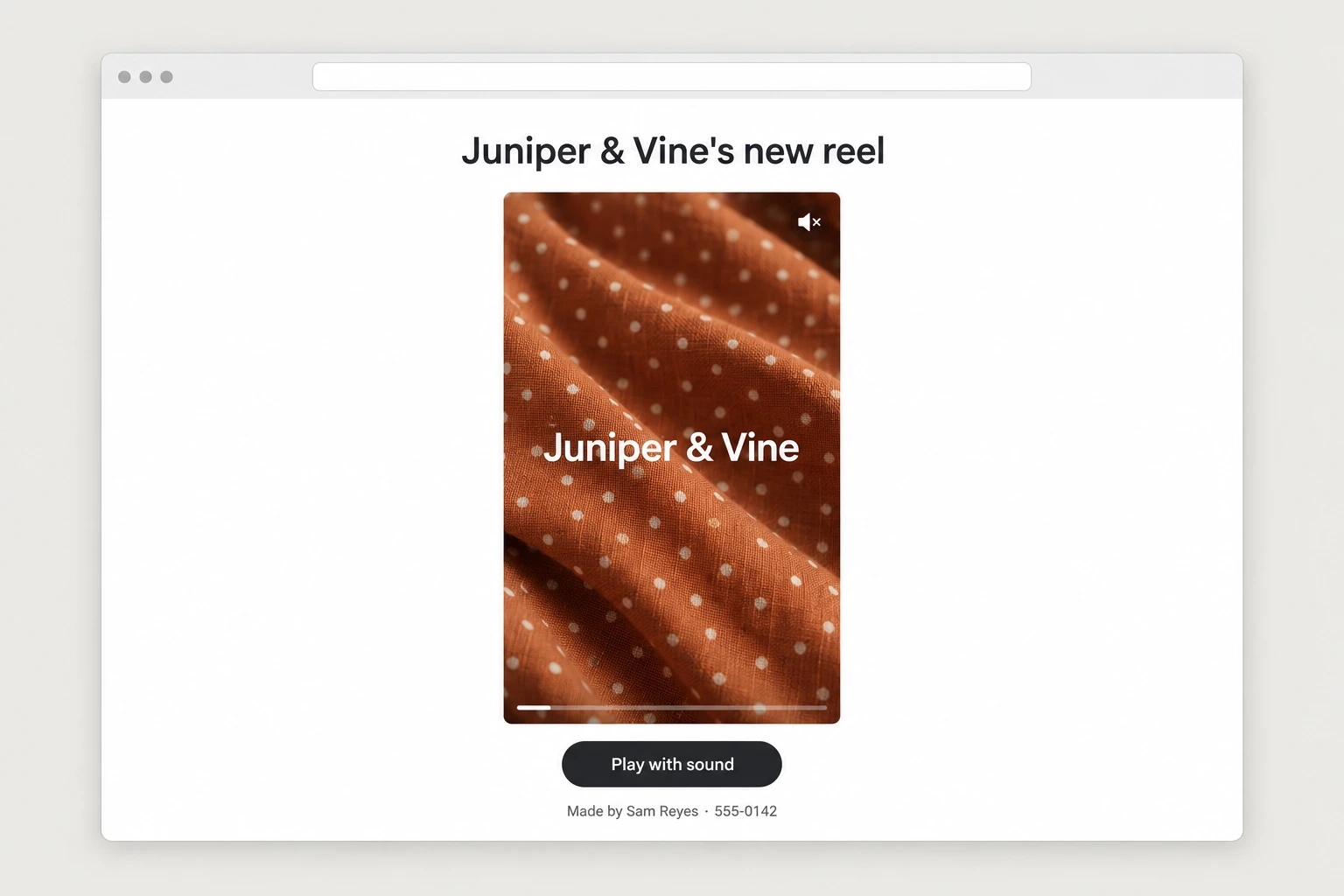
for each approved store, build a page with "[store name]'s new reel" as the title and the video autoplaying on mute with a play-with-sound button, plus my name and number underneath. design a 6x9 postcard: front is a still from the reel, back says "we made [store name] a reel. scan to watch it." with a qr to the page. show me 3 samples, then send the batch through my [lob / postgrid / stannp] account. also give me each video as a file with a short dm i can send from my own instagram: "made this for [store name] from your products, it's yours if you want it."Step 9: Fulfillment
What they buy is ongoing content, a set of reels every month made from whatever's new in the store. The owner sends photos of new arrivals, the pipeline turns them into finished reels, and they approve and post. Since the template does the work, each additional client is mostly the agent running the same chain on different products, which means the first reel took you a day to set up and every one after that is nearly free to make.
[store name] signed for [x] reels a month. every time the owner sends new product photos to [email / whatsapp], run the store reel template on them: stills, animation, reel. send the finished reels to me first, then to the owner for approval with a suggested caption for each. keep a log of what was made and approved each month.The full prompt
Once every step above works on its own, this is the whole pipeline in one message. Paste it in, fill in the brackets, and the agent saves it as one skill you can rerun on a new city with a single line.
you are my content pipeline for local stores. run this pipeline and check in with me at the marked points.niche: [clothing stores / boutiques / furniture / jewelers / home decor]city: [your city]1. use my google places api key to pull every [niche] in [city]. save name, address, phone, website, instagram if listed, and their listing photos.2. check each store in the facebook ad library. split the list in two: stores currently running ads (save their current creative) and stores running nothing.3. show me both lists and wait for my picks.4. for each picked store with no ads: scrape 5 or 6 product images from their website, instagram, or listing photos. generate stills of the same model wearing or using the products with the chatgpt image model, animate the stills with [veo / seedance / kling], and cut a 15 to 20 second reel using my store reel template.5. for each picked store already running ads: produce a clearly stronger version of their current ad with a better hook in the first second, the real product in motion, and cleaner text, then put old and new side by side in one image.6. show me every video and image before anything goes out. after approval: create the postcard ("we made [store name] a reel. scan to watch it.") with a qr to a page that autoplays the video, send the batch through my [lob / postgrid / stannp] account, and give me each video as a file so i can also dm it to the store.7. log everything: store, what was made, links, date sent.rules: nothing goes out without my approval. cap api and generation spend at [$x] without asking. save this workflow as a skill.